 vardaris
 CONNECT 300 · Vardaris 1.0 for macOS 26
See what the wire said.
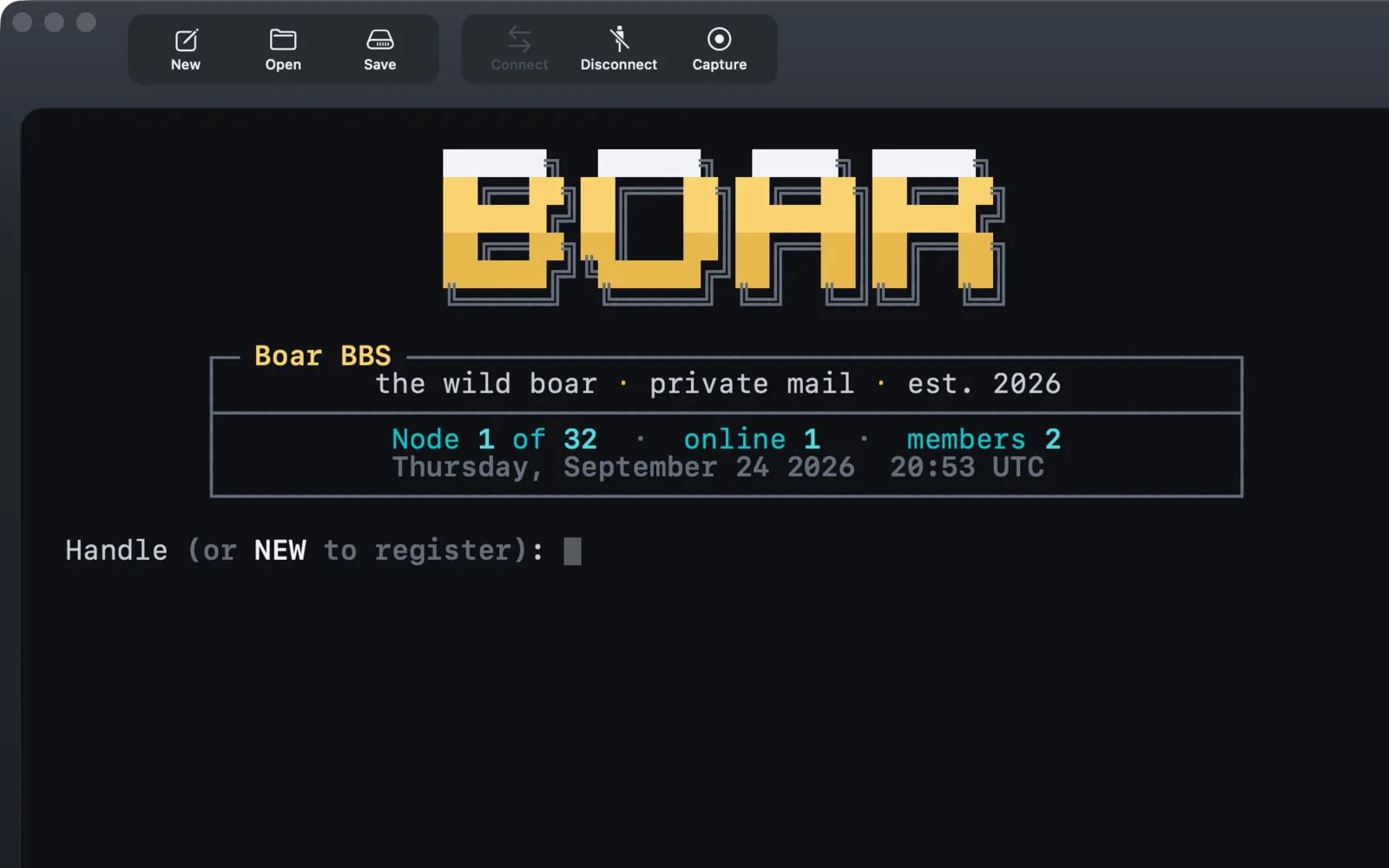
Plug in a USB serial adapter and talk to the board on the other end. Or open a TCP port, or dial a telnet BBS. When the text on screen stops making sense, the hex view shows the bytes exactly as they arrived.
0040why it exists
Serial on the Mac is still screen /dev/cu.usbserial.
That works fine until you replug the adapter and it comes back as
usbserial-1420 instead of -1410. Or until the device
sends a control byte and you can't tell whether your terminal ate it.
Vardaris was written for that bench. It remembers the adapter itself, so the new path doesn't matter, and it will show you every byte that came in. What CR, LF, backspace and escape codes should do is your call, set per session.
No accounts and no telemetry. The only connections it makes are the ones you open.
0080what it does
Raw bytes first. Most terminals hide them from you.
- RX
A hex view fed from the wire, not from the screen
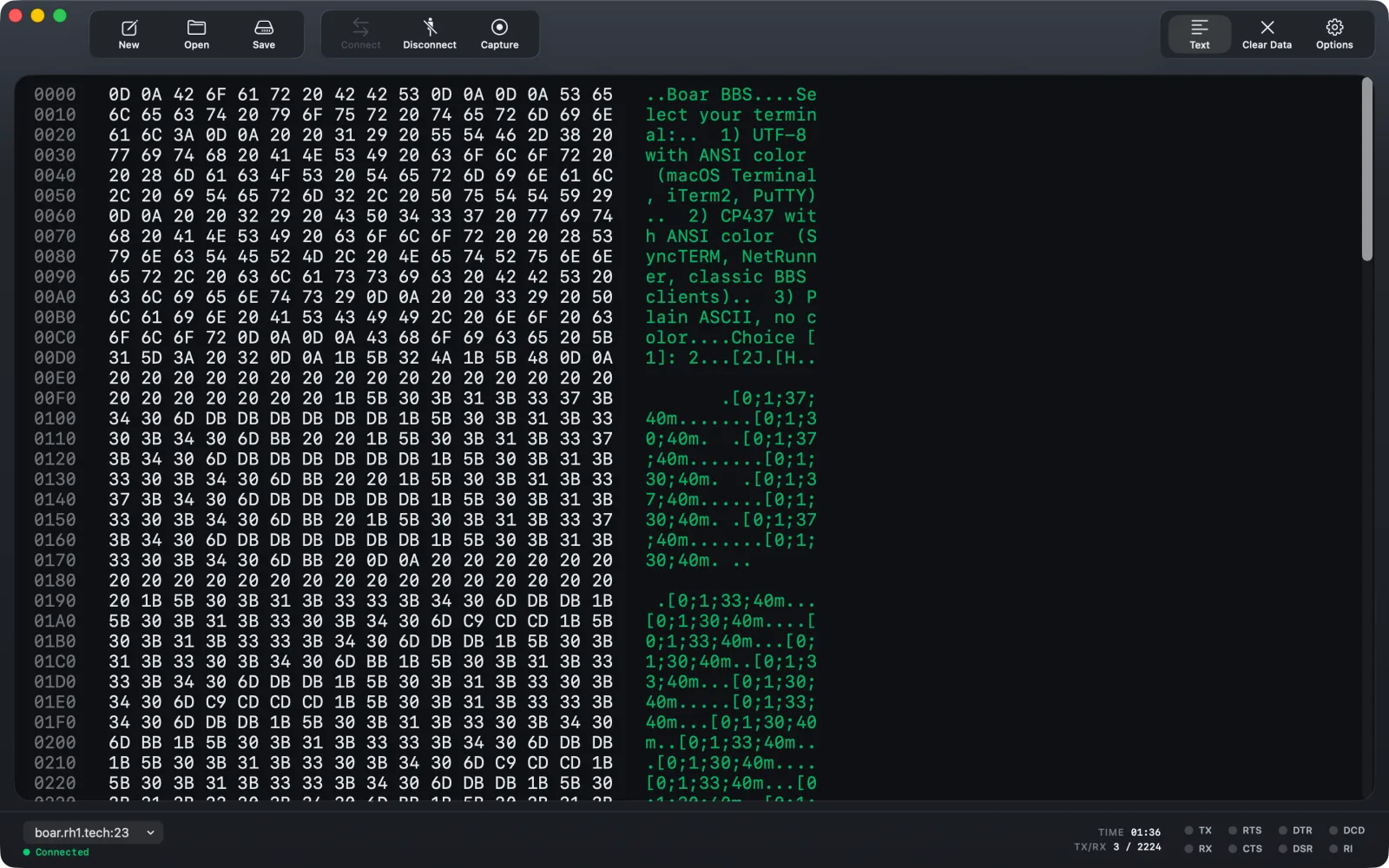
The hex view gets its copy of the data before text decoding, high-bit stripping or escape filtering touch it. When a device misbehaves, you are looking at exactly what it sent. Flip between text and hex whenever you like; it's the same session either way.
- RX
Follows the adapter, not the path
A session records the USB serial number alongside the
/devnode. Plug the adapter into another hub port and Vardaris finds it under its new name and reconnects. - TX
Any rate the adapter can do
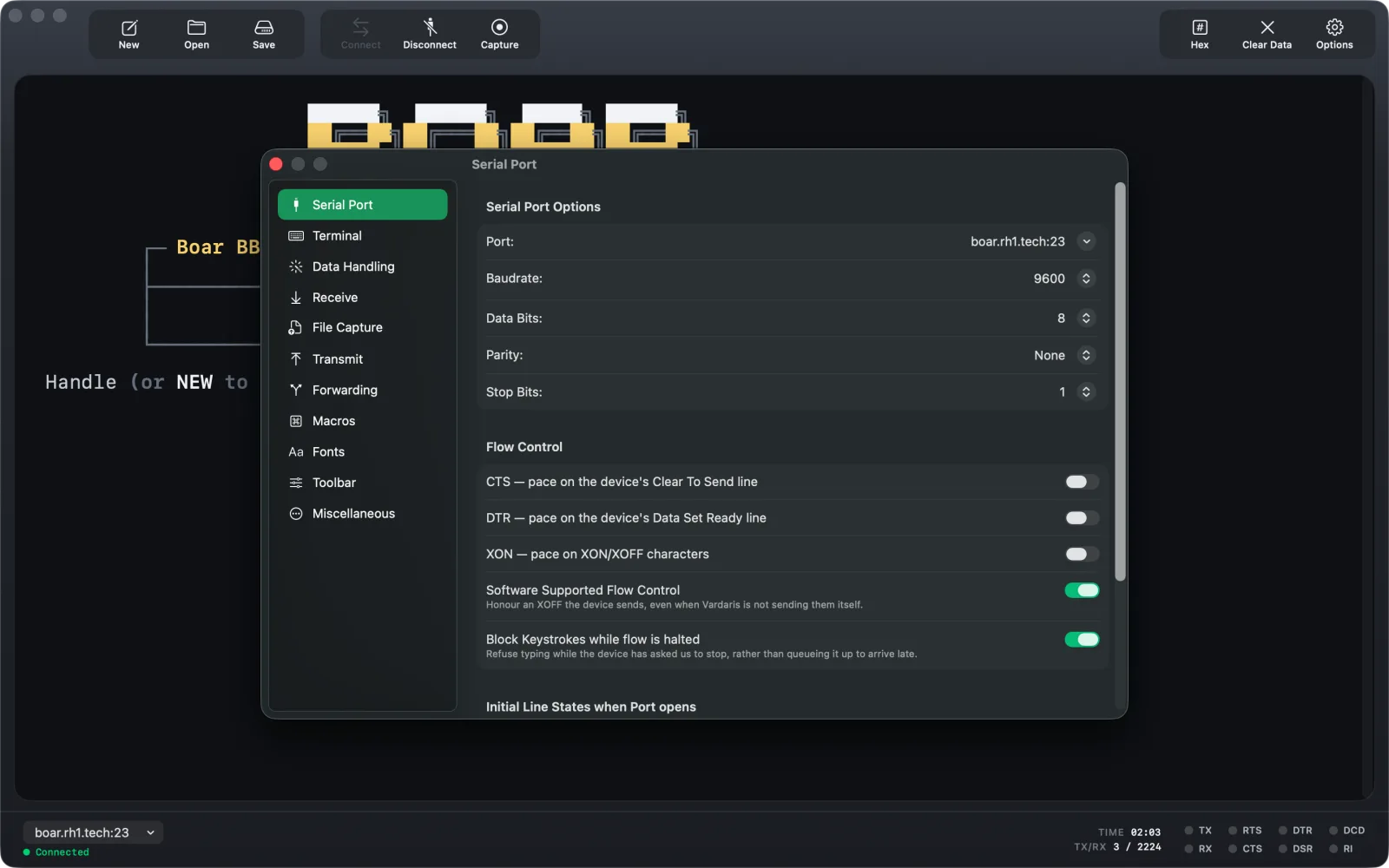
The standard rates, plus custom ones like 250000 for DMX and 31250 for MIDI. Data bits, parity, stop bits, RTS/CTS, DTR/DSR or XON/XOFF, and whether DTR and RTS go high on open, for boards that reset on them.
- RX
An 80 × 25 ANSI screen
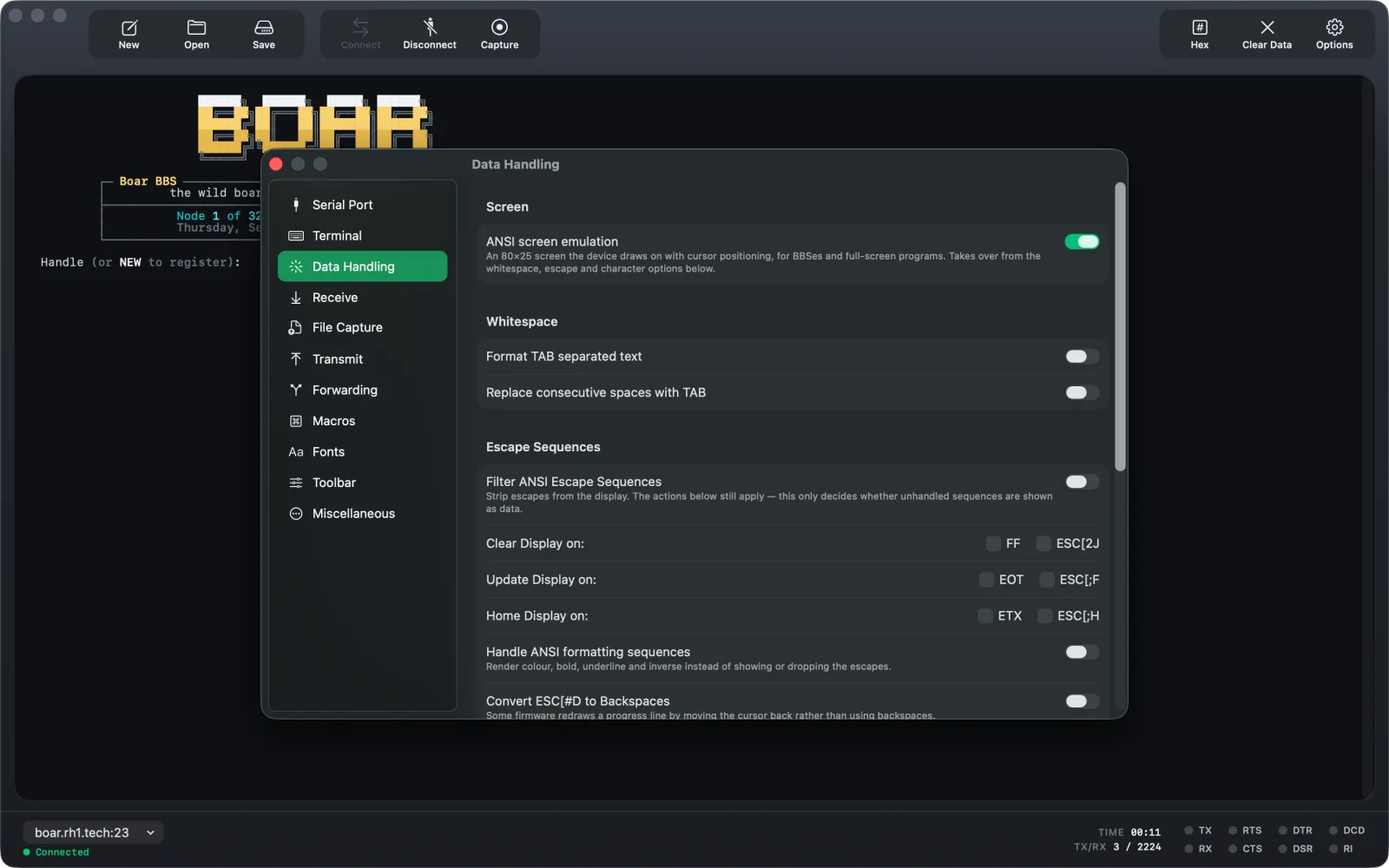
Cursor addressing, clears and colour, in the IBM PC character set BBS art is drawn in. Over telnet it answers with its terminal type and window size, so the board knows what it is drawing on.
- RX
Line discipline you choose
A carriage return can move the cursor back instead of breaking the line, which is how firmware redraws a counter in place. UTF-8, CP437, Latin-1, Latin-2 and Windows-1251, with multi-byte characters reassembled across reads. Keywords you care about can be highlighted over whatever colour the device used.
- TX
Capture, macros and pacing
Capture raw, as text or as hex, with timestamps and RX/TX labels, the way this list is written. Macros on F1 to F12. Per-character and per-line delays for firmware that polls its UART with no buffer behind it.
- TX
Sit in the middle of a conversation
Bridge the session to a second port or host. The controller and the device keep talking to each other, and you read both sides.
00C0in use
One session, two ways of looking at it.
The source in these shots is Boar, a small telnet BBS we run for testing. Its welcome screen makes a decent terminal test, with CP437 block art that changes colour every few characters.
0100sessions
Every setting in one file you can diff.
Port, framing, flow control, line states, display rules, capture and macros
all save to a .vardaris file. It is plain JSON with sorted keys, so
it can live in the repository next to the firmware it talks to, and a change to
the baud rate shows up in review as one line.
Settings apply as you make them. Framing cannot change on an open port, so the pane says so and offers to reopen it.
{
  "endpoint" : {
    "serial" : {
      "name" : "usbserial-1410",
      "path" : "/dev/cu.usbserial-1410",
      "serialNumber" : "A10K3Q7Z"
    }
  },
  "serial" : {
    "assertsDTROnOpen" : true,
    "assertsRTSOnOpen" : true,
    "baudRate" : 115200,
    "blocksKeystrokesWhileHalted" : true,
    "dataBits" : 8,
    "ignoresBreakConditions" : true,
    "ignoresFramingErrors" : true,
    "isSoftwareFlowControlSupported" : true,
    "parity" : "none",
    "stopBits" : "one",
    "usesCTSFlowControl" : false,
    "usesDTRFlowControl" : false,
    "usesXONFlowControl" : false
  }
}
0140keyboard
The common things have a key.
- Connect⌘K
- Disconnect⇧⌘K
- Clear the terminal⌥⌘K
- Start / stop capture⇧⌘R
- Re-scan serial ports⌘R
- Send a file⇧⌘F
- Pause the display⇧⌘P
- Open / save a session⌘O ⌘S
In raw mode every other keystroke goes to the device as you type it.
0180requirements
macOS 26 or later, on Apple silicon.
Vardaris is a native Swift app built on the macOS 26 interface. For serial, any
USB-to-serial adapter that shows up as a /dev/cu.* device works, and
so does a board with native USB serial. Vardaris brings no driver of its own, and
it runs in the App Sandbox.
It's a one-time purchase: $4.99 in the US, or the local equivalent elsewhere. No subscription and no in-app purchases.